Game reflection

Planning: (Complete before starting work)

To make my game I will need to watch the videos on how to make the game we are creating to make sure I know roughly what to do and how to do it. To get to these videos I will need to go onto ezone go down onto unit 1 and find a link that says ‘roll a ball tutorials’ and watch them all in order to get an idea of how to do it and what to do to make the final game. After watching these videos I will need to do some research on games and the history of them and upload that research page onto WordPress. Whilst doing this for the game I need to finish doing everything for the music video and podcast for the same deadline. For me to be able to finish this game making task I will need access to Unity, the programme we are using to make the game, I will need to make sure that I follow the tutorials to make sure I don’t go wrong anywhere and waste time trying to fix the problem which I wouldn’t have if I follow the videos. I will need to know how to use Unity whilst I am making the game. To make sure I can use Unity properly and well I might need to research how to use the programme and which button does what, what it is used for and how and when to use them. To make sure I finish this I need to make sure that I have done all the research before I start making the game and I will need to make sure that I save it properly so others can access it.

Research & Experimentation:

Before starting to do this task I will need to do some research about games. The research I will need to do is research what happened within the game genre during each decade starting from the 1950s up to 2011. I will need to know what games were made, how they made them and who made them. I will also need to find out if anything big happened or changed within those decades and include that in my research page. To find all of this information I will need to look on google. To do this task I used a few websites to get the information I needed to get:

Overmars, M . (2012). A Brief History of Computer Games. Available: https://www.stichtingspel.org/sites/default/files/history_of_games.pdf. Last accessed 16th November 2018.
History. (2018). Video Game History. Available: https://www.history.com/topics/inventions/history-of-video-games. Last accessed 22nd November 2018.
All of this research helped me as I learnt more about games, I know what kind of things happened in each decade and what games were made when.

Production:

Whilst I was making the video I came across a few difficulties, to begin with I missed a step to make the ball move so when I came to test the game the ball didn’t move at all. To fix this I had to start the video again and undo everything I had done so far to make sure I went back and done every step in that video to make sure the ball can move also to make sure I hadn’t missed any other step in that video. To make sure this doesn’t happen again I need to make sure I concentrate more whilst I’m watching the videos to make sure I don’t miss a step to finish  making the game. I also came across a problem where the script didn’t work even though it looked like it was the same as the one in the video. To fix this I double checked the script to make sure it was the same as the example one in the video, once I had checked the ball still wouldn’t work so I had to delete everything I had already done in that script and redo it all to make sure it was the same as the one in the example to make the game work. To make sure this doesn’t happen again I will need to make sure that I copy the video correctly and properly and then make sure I save it right.

Reflection:

Overall I am happy with the outcome of the game as it works properly and others can play it, also because this was the first game that I had made and I managed to finish making the game in time of the deadline. However I did want to make the game play area a different shape to make it more effective, I also wanted to put more collectables in the game play and in a different shape to make it harder to get them all. To actually make the game I use a programme called unity which had all of the things we needed on there to make and finish the game. I had to actually make it all and start from scratch and then make sure it all worked properly, also to make sure it was at a good standard for other to play and test out. Once I have finished making the game I will need to save it properly onto my memory stick and to make sure it is all saved on there properly so it is get able to for others. To then export it and able to upload it to WordPress I need to upload it to GoogleDrive the export it from there to be able to upload it onto WordPress.


Podcast reflection

Planning: (Complete before starting work)

To make my podcast as a group we will need to decide what we will want to talk about. Originally we decided to talk about YouTube and the YouTubers we watch and why we watch them. We then changed our mind to talk about music, what we listen to and why, also what genres we like and dislike and why. we will also play a little bit of the song we like so that everyone else can hear it whilst we talk about it. We chose to do music because we thought that there would be a lot to talk about and we can each say our opinions on the types of music we like and dislike. We can also talk about artists journeys  to see how they got where they are now and what we think about that. Once we have chosen what we want to talk about we will need to create a pitch for it to say what we will talk about and how the podcast will lay out.

Screen Shot 2018-12-14 at 13.57.31.png

As well as doing a pitch for the podcast, we will need to do a proposal form, timetable for the project and also a script so we know what we will talk about.

Screen Shot 2018-12-14 at 14.00.16.png

Screen Shot 2018-12-14 at 14.01.49.png

Screen Shot 2018-12-14 at 14.02.18.png

To be able to finish this we will need to make sure everyone knows the script and what we will talk about, the songs they are going to talk about and have them ready to play as an example. We want to play them before we talk about them to make sure the rest of the group knows what it is if they don’t know it already and are then able to give their opinion on the music or the song. I will also need to make sure I know what songs I will want to talk about and why I like them and what I don’t like if anything. I will need to know how to use the equipment and how to set it up and make sure I know how to record from them. To make sure I can do this we will get shown how to do it with the first microphone then with the others we will need to do set them up ourself. I will need to make sure I know how to use audition to edit the podcast when we are finished recording the podcast. To make sure I know how to use the editing software I will google how to use it and watch YouTube videos to get to know how to use the software. To be able to finish this project I need to make sure I have enough footage to edit for the final podcast to last between 10-20 minutes, to do this we will talk about the pic we like, dislike and why, we will then ask each other question about the topic of music to make sure we wall have enough footage to last us and fill the time we need. If we find we don’t have enough footage we might have to go and record some more to make sure we do and so it will fill the time needed.


Research & Experimentation:

Before starting this project we need to research different topics we could want to talk about. We need to do this to get more ideas for our own one and ideas of what we could talk about within the chosen topic. I will also need to research the equipment we will be using and how to use them and how to set them up, finally I will need to research how to use the editing software so I don’t do it wrong and lose everything and then have to start again.

By doing all this research it will help with when I come to record and edit my own podcast to make it a little bit easier.

Production:

Recording
Whilst recording the podcast we came across some problems. One problem for example was that the microphones weren’t connected properly so it meant that the audio was being reordered so we had to re-do that part of the podcast to make sure we had it. To make sure this doesn’t happen again we will test the recording before we start talking about or podcast, so that if it isn’t connected properly we wouldn’t have lost our footage for the podcast only the test audio we had done. We also had a problem where the final audio was saving properly onto the memory stick so we had to use a different lead to make sure it had saved properly and to make sure we wouldn’t lose any of it when it came to editing it all.


Editing
When I was editing the podcast I did come across a few problems that I had to solve. One of the problems that I came across was that I didn’t have all of the footage we had filmed. However I just realised that I hadn’t opened the folder properly to make it look like they weren’t all there. To make sure this doesn’t happen again I will open the folder properly to see all of the clips that I need and I will make sure to save it to make sure I don’t lose anything so I don’t have to start again.  I also came across a problem where I had cut a bit of the audio but then it made the whole thing out of sync and people weren’t in time or anything. I had doe this by cutting some of it out but then pressed the wrong thing so it got rid of it completely so the whole thing became out of sync. To fix this I had to try and go back to get it back again but it wouldn’t work like that so I had to start over again to make sure I do it properly without deleting parts of it.

In this picture it shows that the bit highlighted you can either delete that part of the audio completely or you can silent it so it won’t change the length of the audio, it will just silent it so you won’t be able to hear anything during that part of the audio.

Once we have finished editing the audio we will need to export it and put it into premiere photo put a picture on top of it so we are able to upload it to YouTube and WordPress.

Once we had imported it to premiere pro and put a picture on top of it, we will need to export it and upload it to YouTube and WordPress.


Reflection:

I did manage to finish editing my podcast and uploaded it to YouTube in time for the deadline. However it didn’t turn out as well as I had hoped as I did want to add background music to it but I didn’t manage to do that. Also it can be a little bit quite at times and harder to hear at times, so before I had exported it and uploaded it to YouTube I should have turned up the volume at certain points to make sure it is clear and easy to hear. Apart from that I am pleased with how it turned out as I got all the footage I needed and wanted to include into my podcast. I am also happy with it as it is my first time editing any kind of audio footage or anything like that. To edit the audio we used audition on the macs, to do this I needed to make sure I had copied the clips I wanted to use properly onto my memory stick so I can open them to edit. Once I had finished editing the audio I could add effects onto them to make the voices change or have a different effect on them. Then to put a picture on top of the audio we had to make out own logo kind of thing to use for me to be able to upload it to YouTube.

Once I had put  a picture over it I needed to export it and upload it to YouTube. To export it you need to go to file, export, media. Then you will need to make sure the format it a H.264, change the name to something you’ll know it as and finally change the source range entire sequence. Once you have done that press export and wait for it to finish exporting.


Final Music video reflection


Planning: (Complete before starting work)

To be able to make my music video I needed to decide what music I wanted to make it to and then decide what kind of footage I wanted to get and film for it. After looking at the different songs I could use, I have decided to use ‘Winter Things’ by Ariana Grande. I chose to do this song because I thought that it could suit the as the song is about winter and christmas and thought there could be alot i could get footage of.  Once I had chosen the song I needed to decide what I wanted to get footage of and the kind of clips I wanted to use. I want to film an ice skating rink, winter lights, me and friends watching winter film, bonfire. I also want to get pictures and put them into the video but I want to make have good tranisitions betweeen each one and make them smooth. Whilst doing the filming and the research I need to do a daily reflection to say what went well and what I need to do the next day and say why I didnt finish the work for that day if I hadn’t.  For me to be able to do this I need to know what kind of things I want to film and how to film them, I need to go to the places to make sure they are good enough to film and are open to use and film there. I need to know how to edit a video to make it a good standard and how to put the effects and transitions between each clip. I will need to know how to use premiere pro properly and to a good standard to be able to edit on there. To be able to use the programme properly I will have to research how to use it and find out what does what on there. I will also need to make sure I know how to record on the cameras that I will be using. To finish this I will need to make sure i have enough clips to use throughout the whole video, if I don’t I will need to make sure that I have fond footage online to use and will need to make sure I can still upload it to youtube.

Research & Experimentation:

Before starting this task I will need to research winter themed music and find which one I want to use.  I will also need to research the places I wanted to film at to make sure I am able to film there, also look up what kind of winter themed activities I can do and get footage for and where I could film it. Whilst doing this I used quite a few different sources to get the information, for example to find what I could film and where I could film it, I used:

Natural History Museum. (2018). Natural History Museum Ice Rink. Available: http://www.nhm.ac.uk/visit/exhibitions/ice-rink/access.html. Last accessed 8th November 2018.

Timeout. (2018). Ice skating in London. Available: https://www.timeout.com/london/things-to-do/ice-skating-in-london. Last accessed 8th November 2018.

RoyalPavilionIceRink. (2018). Welcome to the Royal Pavilion Ice Rink. Available: https://royalpavilionicerink.co.uk. Last accessed 8th November 2018.

CrawleyIceRink. (2018). Ice Rink at Goffs Park. Available: https://crawleyicerink.co.uk. Last accessed 8th November 2018.

Lindfield Bonfire Society. (2018). Lindfield . Available: http://www.lindfieldbonfiresociety.co.uk. Last accessed 15th November 2018.

I then had to research what kind of footage I could get to suit my music video, I used quite a few different sources for this:

Levin, H . (2018). 18 Fun Outdoor Winter Activities for Kids & Adults. Available: https://www.moneycrashers.com/fun-outdoor-winter-activities-kids-adults/. Last accessed 2nd November 2018.

Morin, A. (2018). 50 Fun Things for Teens to Do This Winter. Available: https://www.verywellfamily.com/fun-winter-activities-for-teens-2608987. Last accessed 2nd November 2018.

Beacock, K. (2018). Top 50 Things To Do In London In Winter. Available: https://www.lastminute.com/blog/top-50-things-london-winter. Last accessed 7th November 2018.

To help with the filming of my music video I had to research the cameras I would be using, a nikon P500 and a samsung galaxy j5:

Nikon. (2018). Key Features. Available: https://www.nikonusa.com/en/nikon-products/product-archive/compact-digital-cameras/coolpix-p500.html. Last accessed 9th November 2018.

Goldstein, M . (2011). Nikon Coolpix P500 Review. Available: https://www.photographyblog.com/reviews/nikon_coolpix_p500_review/image_quality/. Last accessed 15th November 2018.

Gadgets360. (2018). Samsung Galaxy J5. Available: https://gadgets.ndtv.com/samsung-galaxy-j5-2719. Last accessed 9th November 2018.

Samsung. (2018). Setting the shutter speed on your camera. Available: https://www.samsung.com/us/support/answer/ANS00034477/. Last accessed 15th November 2018

Finally to help with the editing of the music video I had to research how to do certain things on premiere pro, for example how to zoom onto a picture and zoom out again:

JustALexHalford. (2016). Adobe Premiere Pro CC: How To Zoom In On A Picture/Video – Tutorial #13. Available: https://www.youtube.com/watch?v=VE0fCF-X1Ps. Last accessed 22nd November 2018.

This all helped me to do the music video because I learnt more about the cameras I was using and it helped me come up with ideas that I could use within the video.

Production:

Whilst I was editing this video I came across a few difficulties, first I didn’t save my project properly and closed the programme before it hd finished saving so I lost the whole this and had to start again. To make sure this doesn’t happen again I needed to make sure I save it properly and carefully and also make sure it has saved before I close the programme. I also came across a problem where I didn’t have enough footage whist I was editing the video, I overcame this problem by looking on youtube to find some footage I could use and include in my project. Luckily I kind of knew what sort of clip I wanted to get from youtube so it was quite quick to find something I wanted to use which saved quite a bit of time.

Reflection:

Overall I am happy with the outcome of the music video that I made, because I got most of the clips I wanted to get and put them all in the video, I managed to edit them how I wanted to, put the effects and transitions between each clip and I managed to finish editing the music video on time and uploaded it to youtube by the dead line as well. However I’m not as happy as I could be with it, this is because I wanted to film a bonfire myself and have friends round it roasting marshmellows but I couldn’t get that as no one was free to film and it kept raining, instead I got a clip of a fireplace from youtube and used that. I also wanted to add more video clips as well as photos but didn’t manage to get them as the places I wanted to film were either not open yet to get the footage in time or I wasn’t allowed to film there. Screen Shot 2018-11-22 at 12.23.26.png

To edit we used premiere pro, to do this I imported the music video I downloaded from youtube and got rid of the video of it so I just had the audio. I then imported the clips I wanted to use and put them in the order I wanted. Once I had done that I put the effects I wanted to use over the different clips to make it look different and have a better effect. I also then put transitions between them all to make it smoother between each clip and edited them to the way I wanted them. Once I had done that I need to export it and upload it to youtube. Screen Shot 2018-12-14 at 12.21.39.png

To export it you need to go to file, export, media. Then you will need to make sure the format it a H.264, change the name to something you’ll know it as and finally change the source range entire sequence. Once you have done that press export and wait for it to finish exporting.

Screen Shot 2018-12-14 at 12.25.46.png


Game research

  • The history of computer games, including key events or releases

1950 – 1959

with these years the first computer made was called OXO by Alexander Douglas. It was made by the influence of tic-tac-toe that he made for his thesis on human computer interaction. However people don’t think that this was the first proper computer game, most people think that it was a game called Tennis for Two which was made in 1992 by William Higginbotham. It was meant to show players the effect of gravity and what it does to the objects. This picture shows the actual game and the equipment needed to make it.Screen Shot 2018-11-16 at 11.53.15.png

1960 – 1969
Throughout these years another game was made called Spacewar! which was created in 1961 by Steve Russell and a PDP1 computer. This show the computer and the actual game.

Screen Shot 2018-11-16 at 11.59.34.png

In the second half of the decade a lot of people and companies started to realise what you could do on computers to make the games. In the 1966 a game called Periscope was released by Sega, it was more of an arcade game but it showed what kind of things you can do on those machines.


1970 – 1979
The first commerical exploitation of computer games came on through the aracde machines. The first arcade game was Space in 1971 by Atari but that was a much bigger success so they carried on trying and made the game Pong in 1972 which was a very big game.
Screen Shot 2018-11-16 at 12.12.45.png
In the 1972s the first home consoles were appearing and starting to get used, about 100,000 units were sould that year. Then in 1978 everything was starting to get seen in colour and Space Invaders was made by Midway.
Screen Shot 2018-11-16 at 12.20.01.png
1980–1989
The number of games created increased rapidly. Many famous games were produced in this decade, like Zork (1980), Donkey Kong (1981), Pole Position (1982), Pitfall (1982), Mario Bros (1983), Dragon’s Liar (1983), King’Quest (1984), Elite (1984), The Legend of Zelda (1986), Metroid (1986), Mega Man (1987), Final Fantasy (1987), Metal Gear (1987), Popoulos (1989) and Prince of Persia (1987)
Screen Shot 2018-11-16 at 12.23.52.png
Because there was so much success from some of the companies other soon followed and copied them. For example Mattel introduced the Intellivision in 1980 and in 1982 ColecoVision was made.
1990-1999
Between 1994 and 1996 the next generation of game was invented. In 1994 Sega introduced the Saturn and in 1996 the Nintendo N64. Then in 1994 Sony released the PlayStation, they used a 32 or 64 bit processors and also had muchmore memory. The saturn could draw 500 polygons per second, the playstation 360 and the N64 100, they also had much better improved sound quality meaning it was better to play.
During this decade the PC was getting a considerable advantage over the game consoles, the PCs were much more powerful, the gaphics resolution was better, had more memory, they had hard disks to store more game data and they had a much higher processer speed. The PCs could also stream video and music from CDs which led to a new era or games which meant they could add better sound when playing the game.
Screen Shot 2018-11-21 at 09.56.22.png


2000-2009

In 2000 song produced the playstation 2, the specs were much higher again, it had 32MB memory available and could draw up to 65 million polygons per second, excellent sound qualities and a double layered DVD drive that could also play DVDs. The network adapter made it possible to play online games but has never been playstation main attraction. In 2000 Nintendo also came out with the game Cube, the decided not to focus not the specs meaning the machine was weaker, didn’t support DVDs or couldn’t connect to the internet. However because of their it meant that it was a lot cheaper than the other one and focused more on the casual gamers. In 2001 Microsoft entered the game market with   the Xbox, it was near enough a PC in a game console box, it was a very powerful machine. Had 64MB of memory, a DVD drive and could draw 30 million polygons per second. Sony wanted to share the handheld playstation portable in 2004. It was a very powerful machine with 32MB of memory, a screen resolution of 480×272 pixels, full 24-bit colour, wifi connection and video disks that made it possible to play movies on it. However not many people wanted it as they felt it was better to play at home on a bigger screen and also because a lot of the 3D games aren’t well suited to play on a small handheld device. In 2009 sony created the PSP Go that had a very different design and only focused on the downloadable content and in total over 60 million units have been sold.

2010-2011

In 2010 Microsoft and sony responded to the success of the control mechanism of the Wii. Sony introduced the move that had similar functionality, however Microsoft went further on introduced Kinect that measured the full body movement using the cameras.  In 2010 the development of tablets appeared  and has been followed by the iPad 2. Many manufactures are producing tablets and people expected 2012 to be the year of the tablets because the prices dropping dramatically. The stereoscopic 3D was also developed   over the past 2 years. which is very helpful for games meaning they can make the 3D parts of the game a much better quality and more people will be wanting to play the game. As a result of this this Nintendo introduced the 3DS in 2011 that uses a parallax barrier. this contains slits so that the left eye can only see half of the pixels and the other eye sees the other half. By doing this each eye can see its own picture meaning stereoscopic 3D can be created. However the disadvantage of this is that the player has to hold the device at the correct position in front of the eyes to get that effect. Over the last 2 decades the gaming world has diversified a lot, people now play games on divides ranging from simple phones to dedicated game consoles. You can play casual games with a low production budget and AAA console games with budgets close to 100 million dollar.  In the US alone people spend about 25 billion dollars on games.

In 2016 sony released a much more powerful console called the Playstation 4 Pro, it was the first console which was able to do a 4K video output. In 2017 Nintendo released the Wii U successor, the nintendo switch which is the only thing to allow TV-based and handheld gaming. In late 2017 microsoft released the 4K console, Xbox, Xbox one X.

The main thing that has obviously changed is the graphics quality. It went from black-and-white to colour. Much higher resolutions, many more colours and much better animations. The improvment in the graphics didn’t automatically led to improve the game or satisfaction, for example pong is still a good game to play. In some of the more modern games you can feel less in control becuase the animations can’t be interrupted.

Overmars, M . (2012). A Brief History of Computer Games. Available: https://www.stichtingspel.org/sites/default/files/history_of_games.pdf. Last accessed 16th November 2018.
History. (2018). Video Game History. Available: https://www.history.com/topics/inventions/history-of-video-games. Last accessed 22nd November 2018.

  • Different genres of computer games

– Action games.
– Adventure games.
– Role-playing games
– Simulators
– Strategy games
– Sports games


Podcast Production project

The name of the podcast is ‘Movie Music Trivia’. This is 2 people talking about songs that are shown in films. The idea of it is 1 person plays a songs from a film and the other has to guess what the song is and what film it is from. Its presented by them sitting round the table with microphones and a laptop where they are playing the songs from. The main purpose of it is to see how many songs they recognise and see if they are able to pin point what film it is from. They also recommend you different websites or things to try out, some are to do with movies and songs but other are just random things that don’t have anything to do with movies or songs.

This podcast, i think, is a commercial kind of podcast rather than an amateur kind of one. I think this because commercial means concerned or engaged in commerce, where as amateur means when a person who engages in a pursuit, especially a sport, on an unpaid basis. They are engaging with the viewers and are having fun whilst presenting the show, their not too serious about it.

The only sound effects it is ind of a drumming kind of sound that introduces the podcast are at the beginning and at the end when their introduction plays but the other sound is the music they play from the different films. There are only 2 main voices who are the people talking within the podcast, Jenna & Julien.

I think that there isn’t really a back story as its just trying to guess what films the songs are from, however if there is a back story i think that it is only trying to talk about films and if they like them or not. Also talk abut their opinions on the songs to say whether they like it or not and why.

I think that this podcast is more ad-libbed rather than scripted as there can’t really be a script for this kind of podcast. However if there is a script i just think that they know what songs and when they are going to play then just try guess them and start talking from that, so i think that, this part is ad-libbed.


What is a podcast?
A podcast is a digital talk that is available to get on the internet by downloading to any kind of device you like, e.g. computer, phone. Normally they are available as a series  throughout a long time and talks about different things, some can include talking about music you like/dislike, films you like/dislike and foods you like/dislike and why. It is said that 24% of people aged 15 and above have listen to at least one podcast and only 8% said they listen to a podcast on a weekly basis. Also 55% of the people who listen to podcasts also listen to talk radio.

What is the difference between a podcast and other medias?
The main kind of difference between a podcast and other medias is that a podcast is just mainly just audio with no video, where as other medias normally have something you can see as well as audio.

How do you make a podcast?
To make a podcast you first need to come up with an idea to talk about. It can be anything you want. You then need to see what kind of talking suits you best and whether you just want it to be a conversation or something that is or isn’t scripted. Once you have decided what to talk about you need to find something to record on. It could be a phone, a microphone that plugs into a computer, an all-in-one recorder or a full studio set-up. The only important thing is to make sure that the sound is clear so that you can hear and understand what they are saying. When you have finished recording it you need to edit it all. It is good to edit it because not everything you say will want to be online or some things you say others might not want to hear it. It is best to make sure that the first few minutes are edited really well as thats the first bits people hear and if that isn’t done well people will assume that the rest is the same and won’t want to listen to the rest of it. When you have done all that you might want to create a website to put you podcast on. This is good because you can tell them what it is about and what kind of things you will be talking about throughout the episode. Some people recommend WordPress to upload it on as you can then create a different page for each episode and explain what each one is about what what kind of things you will be saying.

Have you had any experience with making a podcast?
I haven’t had any experience with making a podcast before but I will be making and recording a podcast at college as part of our work. Then if i enjoy doing it I might start recording more and ore with other people and talking about different things.

Saltzman, H. (2014). How to create a successful podcast: just say yes.Available: https://www.theguardian.com/lifeandstyle/2014/nov/11/how-to-create-a-successful-podcast-just-say-yes. Last accessed 15th November 2018.

Music Video: Music Directors

Michel Gondry
Michel grow up in Versailles, France in a family who was very interested in pop music. In his early years he wanted to be a printer and in the 1980s he joined an art school where he was able to develop his skills. Whilst he was here he also met 2 close friends who made a pop-rock band called Oui-Oui, they released 2 albums and several singles until they split in 1992. He was the drummer and directed their clips which then people began to see that he was influenced by his childhood. One of the videos he made was shown on MTV and Björk saw it, she asked him to make her first video for ‘Human Behaviour’. This led to commissions from other artists around the country and the world, for example Massive Attack. He made adverts for Gap, Smirnoff, Air France, Nike, Coca Cola, Adidas, Polaroid and Levi. Later in his life Hollywood became interested in Gondry’s success and he directed his first feature movie Human Nature (2001), adapting a Charlie Kaufman’s scenario, which was shown in the 2001 Cannes Festival.

Michel Gondry has directed more than 50 music videos. He’s made cinematic, simple and complex videos. Some examples are:

I like this music video because the effects they use are very good and the way they edit it is very effective when watching it. I like how they done something unsual and how it is different, they must have used a greenscreen which is used in an effecive way. However if i was filming it i would change the things i would film.

Michel Gondry uses stop motion, in-camera effects and oversized proshetic limbs within his music videos to create the effect he wants throughout them all.


Chris Cunningham
In 1994 Chris worked on the film version of Judge Dredd, he then went to design and supervise animatronic tests of the central robot child character in his version of A.I. Chris Cunningham worked on the film A.I. for over year before he changed his career to become a director. In his early work in film making he done model making, prosthetic make-up and concept illustrations for Hardware and Dust Devil with director Richard Stanley. Between 1990-1992 he helped with the occasional cover painting and strip for Judge Dredd magazine. In 2005 Chris released the short film Rubber Johnny as a DVD along with a book of photos and drawings, Chris Cunningham remixed the Rubber Johnny soundtrack  and was shot between 2001 and 2004. Some example os his work are:

A.A, Dowd. (2014). Michel Gondry on Mood Indigo, special effects, Jim Carrey, and Charlie Kaufman. Available: https://film.avclub.com/michel-gondry-on-mood-indigo-special-effects-jim-carr-1798270531. Last accessed 15th November 2018.

Chris Cunningham usually goes for techno/electronic and ambient kind of style for his music videos he also goes for something that either doesnt make alot of sense or has a very deep meaning behind it. He also uses disturbing images and content which has never been played with in these ways before to try and keep the veiwer watching.


Restrictions i might have when filming my music video

  • The weather might not be right.
    To stop this happening I will check the weather before I go out to film to make sure its right and if it isnt I will need to film another day
  • Might not have enough to film.
    To aviod this I will research some things that I could film and if that still ist enough I could repeat some of the clips I have already put in.
  • The equipment might not be charged or run out of charge thought recording.
    I will make sure everything is fully charged before going out to film and I will take spare batteries with me if they do run out
  • The places i need to go and film at might not be open or might not allow me to film there.
    To stop this I will look when they are open to make sure I’m there when its not shut and I will look to see whether I’m allowed to film in there are not
  • The people I might in my music video might not be free the day I need them to be.
    I will ask if they are free that day or not, if not I will see if they can do another day if they can’t do that either I will ask other people to see if they can do it

Secondary research (Locations)

Purpose
The whole purpose of this is to make sure I know where I want film and other place that i could film if i can’t film in my first place i want to film in.


Ice skating rinks
I would like to film at an ice rink because it is a very popular thing to do in the winter and i thought that it would be effective to film peoples legs ice skating and to make sure I don’t get anyones face in it. The surroundings are very winter themed as well so i can take photos and video to put in the music video as well. 

  • Natural History Museum Ice Rink
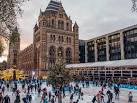
    It would be good to film here because it is very popular so there will be a lot of people n the rink so it will look better when I film instead an half empty ice rink, also the surroundings are very wintery so I can get some photos and video clips and put them in. However it does take a while to get there and back which wastes a lot of time when I could be filming other things. Also I might not be able to get close enough to film the legs of the people. 

Its open from the 25th October 2018 – 20 January 2019 10.00-21.00 however the times do vary and is closed the 25th December. It costs £12.65 for adults, £8.80 for children, families are £39.60 and people who are members save 10%. The location has a Café Bar which looks over the rink and is open till the Ice Rink closes. If you have any questions or need to know information you can email them and if you need to ask anything about buying tickets you can phone TicketMaster. To get access to the rink, there is a ramp form the corner of exhibition road and Cromwell Road. There is also an entrance from the underground station up to the museum.   Image result for natural history museum ice rink                    Image result for natural history museum ice rink                  Image result for natural history museum ice rink

Screen Shot 2018-11-08 at 11.06.31.png    Screen Shot 2018-11-08 at 11.11.37.png

Natural History Museum. (2018). Natural History Museum Ice Rink. Available: http://www.nhm.ac.uk/visit/exhibitions/ice-rink/access.html. Last accessed 8th November 2018.

Timeout. (2018). Ice skating in London. Available: https://www.timeout.com/london/things-to-do/ice-skating-in-london. Last accessed 8th November 2018.

  • Royal Pavilion Ice Rink
    Filming here would be good because it does get busy as well so I will have a lot of people to film and it won’t look too empty when I film. it is also relatively close to where I live so won’t take too long to get there and back. However it isn’t as big as the other one so it won’t look as good when I come to film it. 

This ice rink is open from 3rd November 2018 – 13th January 2019. Its open from 10am-5:15 on weekdays. All the exits and entrances are ramped so everyone is able to get in easily and quickly. All of the sessions that you are able to skate in are an hour long and each session starts every 15minutes. The prices cost various amounts, a full price (12+) are £14 each, a junior (under 12) cost £9.50, a family ticket (2 full price and 2 junior OR 1 full price and 3 junior) costing £9.75, a student cost £11 and a member costs £11. It has a bar & kitchen which looks over the ice rink.
Image result for ice skating rink in brighton                Image result for ice skating rink in brighton                      Image result for ice skating rink in brighton

Screen Shot 2018-11-08 at 11.36.58.png

Screen Shot 2018-11-08 at 11.38.03.png

RoyalPavilionIceRink. (2018). Welcome to the Royal Pavilion Ice Rink. Available: https://royalpavilionicerink.co.uk. Last accessed 8th November 2018.

  • Goffs Park Ice Rink
    Filming here would be good because it is doesn’t take long to get to so I won’t waste much time getting there and back. Also Crawley can be a busy place so hopefully it would be busy if I filmed here so it would be more effective. However filming here might not be good because it isn’t very big and the surroundings don’t look very nice so when i film it, it won’t look as good. 

The rink is open from the 10th November 2018 – 20th January 2019, open from 12:30 – 21:00 Monday – Friday and 10:00 – 21:00 on weekends and school holidays the sessions are all an hour long. the prices are: Adults (peak) – £9.75, Adults (off peak) – £7.00, children (peak) – £8.00, children (off peak) – £7.00, a family ticket (4 skaters including at least 2 children under 16) (peak) – £32.50. You can use a penguin/panda skate aid to help you which cost £4.00. It is very easy to get access to and has slops going into it for anyone who needs.
Image result for outdoor ice skating rink in crawley         Image result for outdoor ice skating rink in crawley        Image result for outdoor ice skating rink in crawley

Screen Shot 2018-11-08 at 11.57.40.png

Screen Shot 2018-11-08 at 11.58.28.png

CrawleyIceRink. (2018). Ice Rink at Goffs Park. Available: https://crawleyicerink.co.uk. Last accessed 8th November 2018.


  • Lindfield fireworks 2018
    I want to film in Lindfield because their bonfire night is always really good, they have a bonfire which looks really effective and the fireworks are amazing so i could take pictures and videos of these and put them in my music video. Filming the fireworks are good because thats something you do when its getting into winter and because I’m doing a winter themed music video this would suit well.  

I am filming here as it is a very popular thing to do in winter and is a nice thing to get pictures and video clips of to put in my music video. At 6:30pm there is a fancy dress competition, 7:30pm a torchlight procession, 8:15pm is lighting the bonfire, 8:30pm the firework display which should then finish everything at 9:00pm. It is also a good thing to as it is free to get into and free to watch the whole thing and can be a good family evening out.

Screen Shot 2018-11-15 at 09.33.03.png

Screen Shot 2018-11-15 at 09.34.55.pngLindfield Bonfire Society. (2018). Lindfield . Available: http://www.lindfieldbonfiresociety.co.uk. Last accessed 15th November 2018.


Fields
I want to film in a field to try and capture when it is frosty outside and get good picture and video clips of the frost and when the spider webs are frozen over as well.

  • Mount Noddy Park
    Filming in mount noddy park would be good because there are quite a few trees to get the effect i want over the trees however it does get busy and because there is a park there, there are quite a lot of children i don’t want to get them in shot by accident. Also filming here might be hard as it is quite away from house and most of the time would be spent getting there and back again.

Screen Shot 2018-11-08 at 12.13.23.png

  • King George’s skate park
    King George’s park would be a good place to film it is a very big field so has a lot of places within it where you can film, here is also good because it isn’t that far from my house so I can spend most of the time filming instead of trying to get there and back again. Filming here might be a problem because there isn’t really any trees to film so it would be a lot harder to get the effect i want to get also because it can get busy as well.

Screen Shot 2018-11-08 at 12.15.03.png

  • A field behind my house
    This field is good to film in because it has a lot of trees to get that frosty effect I want to get and is very big and is more than one field so if the first one isn’t right I can go behind and go to the next field along. Its also good because it is right by my house and only takes a few minutes to get there so its very quick and easy to get access to. However a problem may be that it might be private land and belongs to someone meaning I might not be able to film there.

Screen Shot 2018-11-09 at 14.55.33.png


Research for music video

Research:

What to film in my music video:Image result for campfire

  • A campfire   Image result for snow
  • Hot chocolate
  • Ice skating rink
  • Wrapping up warm to go outside
  • Photos of the winter weather
  • The snow if it snows
  • Winter filmImage result for winter wonderland
  • Winter wonderlandImage result for ice skating rink
  • Fireworks


Levin, H . (2018). 18 Fun Outdoor Winter Activities for Kids & Adults. Available: https://www.moneycrashers.com/fun-outdoor-winter-activities-kids-adults/. Last accessed 2nd November 2018.

Morin, A. (2018). 50 Fun Things for Teens to Do This Winter. Available: https://www.verywellfamily.com/fun-winter-activities-for-teens-2608987. Last accessed 2nd November 2018.

Beacock, K. (2018). Top 50 Things To Do In London In Winter. Available: https://www.lastminute.com/blog/top-50-things-london-winter. Last accessed 7th November 2018.


Films that people could watch:

  • Home Alone                                                                                    Image result for home alone
  • ElfImage result for polar express
  • Polar express                                       Image result for white christmas
  • Scrooge
  • Bad santa
  • White christmasImage result for elf


Ranker . (2018). The Best Winter Movies. Available: https://www.ranker.com/list/best-winter-movies/ranker-film. Last accessed 7th November 2018.

List Challenges . (2018). 20 Best Winter Movies. Available: https://www.listchallenges.com/20-best-winter-movies. Last accessed 7th November 2018.


Winter Snacks/foods

  • Fudge browniesImage result for brownies
  • Cashew nuts
  • Muffins Image result for hot chocolate
  • Hot chocolate
  • SoupImage result for cookies
  • Warm cookies


tbsp. (2018). 20 Snacks to Beat the Winter Mopes. Available: https://www.tablespoon.com/posts/20-snacks-to-beat-the-winter-mopes. Last accessed 7th November 2018.

Flieshaker, E. (2013). 29 Cozy And Delicious Things To Make On A Snowy Weekend. Available: https://www.buzzfeed.com/emofly/blizzard-cooking-snow-storm-food. Last accessed 7th November 2018.


Ice skating rinks i could use:

  • Alexandra Palace Ice Rink         Image result for Alexandra Palace Ice Rink
    Opening times – Holiday Weekdays: Morning 11:00-12:30, Afternoon 1:00 – 3:00 & 3:30 – 5:30, Evening (Wednesdays only) 8:30 – 10:30. Its open 11:30 – 1:30, 2:00 – 4:30 and 8:30 – 11:00 on weekends. In term time weekdays its open 11 – 1:30, 2:00 – 5:30 (and 8:30 – 10:00 but Wednesdays only). There is an Ice Cafe located next to the ice rink offering a great range of hot and cold snacks.

Screen Shot 2018-11-09 at 12.07.59.png

Screen Shot 2018-11-09 at 12.08.57.png

Alexandra Palace. (2018). The Ice Rink. Available: http://www.alexandrapalace.com/ice-rink/. Last accessed 9th November 2018.

  • Brighton Royal Pavilion Ice Rink     Image result for brighton Ice Rink
    It is open from the 3rd November 2018 – 19th January 2019. Its open from 10am – 5:15 on weekdays expect during the christmas season starting 15th December 2018 – 2nd January 2019 including. The sessions last an hour each and have 15 minutes break between each session before the next one starts, the first session starts at 10:00am and the last session starts at 9:15pm. The costs do vary, the full price ticket (12+) is £14.00, Junior (under 12) is £9.50, a family ticket (includes 2 Full Price tickets and 2 Junior tickets OR 1 Full Price ticket and 3 Junior tickets) is £9.75, a student ticket costs £11 and a member tickets costs £11.

Screen Shot 2018-11-09 at 12.26.08.png

Screen Shot 2018-11-09 at 12.26.57.png

The Royal Pavilion. (2018). Welcome to the Royal Pavilion Ice Rink.Available: https://royalpavilionicerink.co.uk. Last accessed 9th November 2018.


Cameras

  • Nikon COOLPIX P500    Image result for what does a Nikon P500 film in
    This camera has a few different bits of information for example the Sensor Size is 1/2.3 in. To store the clips you have filmed you can use an SD memory card,  SDHC memory card and a SDXC memory card. The camera films in 30fps. To get continuous shots at full resolution, the camera  takes 5 shots at about 8 frames per second. The battery is a Rechargeable Li-ion Battery EN-EL5. Another great thing about the camera is that it fits in 1080p HD has stereo sound, slow-motion video at up to 240fps, This is a very good camera for me to use as it films in a high quality and makes pictures in a high quality which means it will look better when put together. The maximum shutter speed for this camera is 8 seconds which is good for night photography, you can focus on anything up to 3cm away from the object, person or animal. It can zoom up to 36 times bigger then the actual thing you are zooming on. There are different flash settings on the camera for example auto, auto with red-eye reduction, fill flash, manual (full, 1/2, 1/4, 1/8, 1/32 and 1/64), slow sync, rear-curtain sync and flash off. There are also different filter effects you can use, cross screen, fisheye, Miniature Effect and painting you can also do a Panorama by moving the camera in the directions of the on screen guide lines.
You can buy this camera on amazon for £159.99 and its includes:

– NIKKOR wideangle 36x zoom lens with ED (Extra-low Dispersion) glass with     super-     telephoto capability
– Full 1080p high-definition (HD) movie recording and built-in stereo microphone
– Selectable scene modes including Handheld night shooting, Night Portrait and Night     Landscape
– Advanced shooting modes (P/S/A/M) for greater creative control
– 12M BSI CMOS sensor and 5 advanced VR image stabilizing features

Screen Shot 2018-11-09 at 14.00.08.pngNikon. (2018). Key Features. Available: https://www.nikonusa.com/en/nikon-products/product-archive/compact-digital-cameras/coolpix-p500.html. Last accessed 9th November 2018.

Goldstein, M . (2011). Nikon Coolpix P500 Review. Available: https://www.photographyblog.com/reviews/nikon_coolpix_p500_review/image_quality/. Last accessed 15th November 2018.


  • Samsung galaxy J5 phone Image result for what quality does a samsung j5 have

This phone has quite a few good qualities about it, the resolution is 720×1280 pixels, the storage is a lot 8GB and you can put a SD card in to get more storage which can be up to 128GB. The back camera is 13-megapixel and the flash is Dual LED, the front camera is 5-megapixel. Its also good to film on because the battery life last about 17hours 50minutes which is excellent if your going out to film on it all day. The phone has 2 shutter speeds you can choose from one at 0.8 seconds and one at 0.004 seconds so you can choose how fast or slow you want to take the picture in.  There are different modes you can shoot in for example, Auto where you can adjust the exposure and colour automatically, Professional so you can change the ISO sensitivity, exposure and white balance, Panorama where you can take consecutive pictures in either a horizontal or vertical direction, Continuous shot where you hold down now button taking a lot of pictures, Beauty face, Sound & shot, takes a picture with a few seconds of background noise and Sports which takes clearer pictures of fast moving objects. The camera can shoot up to 1080p Full HD resolution.

You can get this phone on amazing which costs £126.50 and includes:
– 5.2″ Full HD AMOLED display (720 x 1280)
– 1.6GHz Octa-core processor, 2GB RAM, 16GB expandable memory
– 13MP rear camera; 13MP front camera
– 3,000 mAh battery for up to 21hrs talk time
– Android 7.0 Nougat, Number of SIM: Single-SIM ; SIM size: Nano-SIM (4FF) ; SIM Slot Type: SIM 1 + MicroSD

Screen Shot 2018-11-09 at 14.24.52.png

Gadgets360. (2018). Samsung Galaxy J5. Available: https://gadgets.ndtv.com/samsung-galaxy-j5-2719. Last accessed 9th November 2018.

Samsung. (2018). Setting the shutter speed on your camera. Available: https://www.samsung.com/us/support/answer/ANS00034477/. Last accessed 15th November 2018.


I had to research on how to do certain things in premiere pro for example how to zoom into a picture:

JustALexHalford. (2016). Adobe Premiere Pro CC: How To Zoom In On A Picture/Video – Tutorial #13. Available: https://www.youtube.com/watch?v=VE0fCF-X1Ps. Last accessed 22nd November 2018.