Planning: (Complete before starting work)
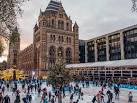
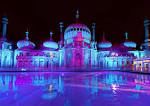
To be able to make my music video I needed to decide what music I wanted to make it to and then decide what kind of footage I wanted to get and film for it. After looking at the different songs I could use, I have decided to use ‘Winter Things’ by Ariana Grande. I chose to do this song because I thought that it could suit the as the song is about winter and christmas and thought there could be alot i could get footage of. Once I had chosen the song I needed to decide what I wanted to get footage of and the kind of clips I wanted to use. I want to film an ice skating rink, winter lights, me and friends watching winter film, bonfire. I also want to get pictures and put them into the video but I want to make have good tranisitions betweeen each one and make them smooth. Whilst doing the filming and the research I need to do a daily reflection to say what went well and what I need to do the next day and say why I didnt finish the work for that day if I hadn’t. For me to be able to do this I need to know what kind of things I want to film and how to film them, I need to go to the places to make sure they are good enough to film and are open to use and film there. I need to know how to edit a video to make it a good standard and how to put the effects and transitions between each clip. I will need to know how to use premiere pro properly and to a good standard to be able to edit on there. To be able to use the programme properly I will have to research how to use it and find out what does what on there. I will also need to make sure I know how to record on the cameras that I will be using. To finish this I will need to make sure i have enough clips to use throughout the whole video, if I don’t I will need to make sure that I have fond footage online to use and will need to make sure I can still upload it to youtube.
Research & Experimentation:
Before starting this task I will need to research winter themed music and find which one I want to use. I will also need to research the places I wanted to film at to make sure I am able to film there, also look up what kind of winter themed activities I can do and get footage for and where I could film it. Whilst doing this I used quite a few different sources to get the information, for example to find what I could film and where I could film it, I used:
Natural History Museum. (2018). Natural History Museum Ice Rink. Available: http://www.nhm.ac.uk/visit/exhibitions/ice-rink/access.html. Last accessed 8th November 2018.
Timeout. (2018). Ice skating in London. Available: https://www.timeout.com/london/things-to-do/ice-skating-in-london. Last accessed 8th November 2018.
RoyalPavilionIceRink. (2018). Welcome to the Royal Pavilion Ice Rink. Available: https://royalpavilionicerink.co.uk. Last accessed 8th November 2018.
CrawleyIceRink. (2018). Ice Rink at Goffs Park. Available: https://crawleyicerink.co.uk. Last accessed 8th November 2018.
Lindfield Bonfire Society. (2018). Lindfield . Available: http://www.lindfieldbonfiresociety.co.uk. Last accessed 15th November 2018.
I then had to research what kind of footage I could get to suit my music video, I used quite a few different sources for this:
Levin, H . (2018). 18 Fun Outdoor Winter Activities for Kids & Adults. Available: https://www.moneycrashers.com/fun-outdoor-winter-activities-kids-adults/. Last accessed 2nd November 2018.
Morin, A. (2018). 50 Fun Things for Teens to Do This Winter. Available: https://www.verywellfamily.com/fun-winter-activities-for-teens-2608987. Last accessed 2nd November 2018.
Beacock, K. (2018). Top 50 Things To Do In London In Winter. Available: https://www.lastminute.com/blog/top-50-things-london-winter. Last accessed 7th November 2018.
To help with the filming of my music video I had to research the cameras I would be using, a nikon P500 and a samsung galaxy j5:
Nikon. (2018). Key Features. Available: https://www.nikonusa.com/en/nikon-products/product-archive/compact-digital-cameras/coolpix-p500.html. Last accessed 9th November 2018.
Goldstein, M . (2011). Nikon Coolpix P500 Review. Available: https://www.photographyblog.com/reviews/nikon_coolpix_p500_review/image_quality/. Last accessed 15th November 2018.
Gadgets360. (2018). Samsung Galaxy J5. Available: https://gadgets.ndtv.com/samsung-galaxy-j5-2719. Last accessed 9th November 2018.
Samsung. (2018). Setting the shutter speed on your camera. Available: https://www.samsung.com/us/support/answer/ANS00034477/. Last accessed 15th November 2018
Finally to help with the editing of the music video I had to research how to do certain things on premiere pro, for example how to zoom onto a picture and zoom out again:
JustALexHalford. (2016). Adobe Premiere Pro CC: How To Zoom In On A Picture/Video – Tutorial #13. Available: https://www.youtube.com/watch?v=VE0fCF-X1Ps. Last accessed 22nd November 2018.
This all helped me to do the music video because I learnt more about the cameras I was using and it helped me come up with ideas that I could use within the video.
Production:
Whilst I was editing this video I came across a few difficulties, first I didn’t save my project properly and closed the programme before it hd finished saving so I lost the whole this and had to start again. To make sure this doesn’t happen again I needed to make sure I save it properly and carefully and also make sure it has saved before I close the programme. I also came across a problem where I didn’t have enough footage whist I was editing the video, I overcame this problem by looking on youtube to find some footage I could use and include in my project. Luckily I kind of knew what sort of clip I wanted to get from youtube so it was quite quick to find something I wanted to use which saved quite a bit of time.
Reflection:
Overall I am happy with the outcome of the music video that I made, because I got most of the clips I wanted to get and put them all in the video, I managed to edit them how I wanted to, put the effects and transitions between each clip and I managed to finish editing the music video on time and uploaded it to youtube by the dead line as well. However I’m not as happy as I could be with it, this is because I wanted to film a bonfire myself and have friends round it roasting marshmellows but I couldn’t get that as no one was free to film and it kept raining, instead I got a clip of a fireplace from youtube and used that. I also wanted to add more video clips as well as photos but didn’t manage to get them as the places I wanted to film were either not open yet to get the footage in time or I wasn’t allowed to film there. 
To edit we used premiere pro, to do this I imported the music video I downloaded from youtube and got rid of the video of it so I just had the audio. I then imported the clips I wanted to use and put them in the order I wanted. Once I had done that I put the effects I wanted to use over the different clips to make it look different and have a better effect. I also then put transitions between them all to make it smoother between each clip and edited them to the way I wanted them. Once I had done that I need to export it and upload it to youtube. 
To export it you need to go to file, export, media. Then you will need to make sure the format it a H.264, change the name to something you’ll know it as and finally change the source range entire sequence. Once you have done that press export and wait for it to finish exporting.




 Lindfield Bonfire Society. (2018). Lindfield . Available:













 Nikon. (2018). Key Features. Available:


 Rachels media